Most people who want to build a mobile app hit the same wall early: do you learn Kotlin for Android, Swift for iOS, or both? And once you’ve picked, how do you get from a working screen on an emulator to an app that talks to a real backend, handles bad network connections, and actually makes it into the app stores? That gap between “I followed a tutorial” and “I shipped an app” is what our newest course is built to close.
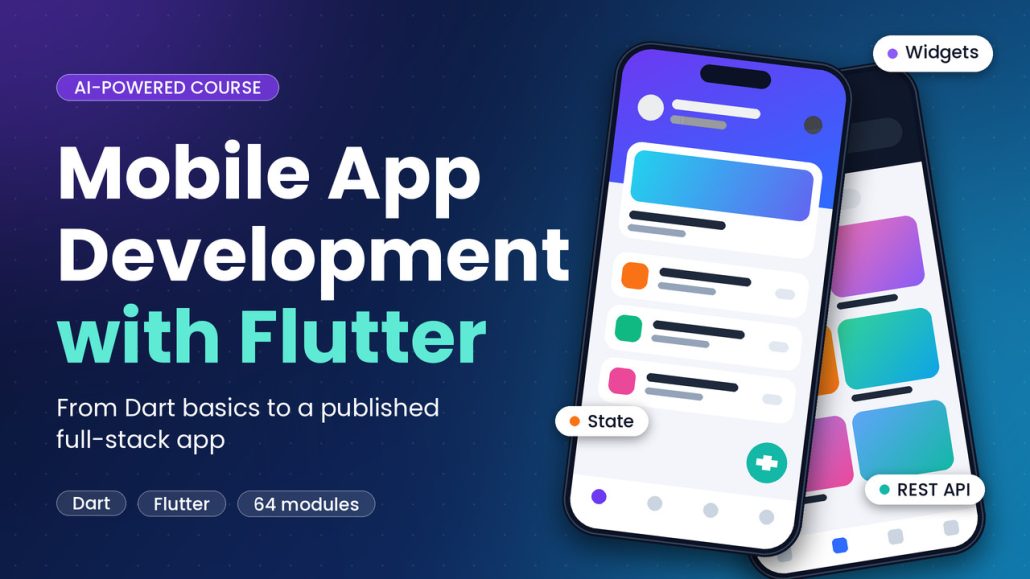
Today we’re adding a third course to Tutajua Academy: AI-Powered Mobile App Development with Flutter. It’s taught live and virtually every Saturday, alongside our Laravel and Next.js courses.
One Codebase, Android and iOS
Flutter lets you build Android and iOS apps from a single codebase written in Dart. Instead of maintaining two separate apps, you write the interface and logic once and ship to both platforms. That makes it a strong first choice for beginners and a practical one for teams that can’t afford to build everything twice.
The course doesn’t assume you already know Dart. It starts from scratch and builds, stage by stage, to a finished full-stack app.
What the Course Covers
The course is 64 modules arranged in nine stages, each building on the one before it:
- Mobile foundations: how mobile apps work, planning an app, your development environment, emulators, simulators, real devices, and Git.
- The Dart language: variables, collections, control flow, functions, classes, null safety, futures, and error handling.
- Flutter interfaces: widgets, layout, themes, Material Design, forms, navigation, lists, accessibility, and animation.
- State and architecture: understanding state, choosing a management approach, structuring an application, and refactoring.
- Data and networking: local storage, databases, JSON, APIs, CRUD, authentication, and designing for offline use.
- Device features: permissions, camera and files, location, notifications, app lifecycle, and deep links.
- Quality and release: debugging, real-device troubleshooting, testing, performance, security, and publishing to the app stores.
- Choosing your technology: how Flutter compares with React Native, Kotlin Multiplatform, and native Android and iOS, and how to choose between them.
- AI and your final project: professional prompting, AI code review, preventing uncontrolled AI rewrites, and your full-stack capstone.
See the full Flutter curriculum →
AI as a Tutor, Not a Crutch
AI coding tools can write a Flutter screen in seconds. They can also quietly rewrite half your project, introduce bugs you don’t understand, and leave you unable to explain your own code. We think the answer is to learn to use them properly, not to avoid them.
Throughout the course, an AI tutor supports you with hints and code reviews while you write the code. The final stage is dedicated to working with AI professionally: writing good prompts, reviewing AI-generated code critically before you ship it, and keeping an AI assistant from making changes you didn’t ask for.
Your Final Project
You’ll plan, build, test, and present a complete full-stack mobile app that connects to a backend, with authentication, data handling, and proper loading, empty, error, and offline states. It becomes a portfolio piece you can explain line by line, which is exactly what a hiring manager will ask you to do.
Who It’s For and What You’ll Need
The course suits beginners who want a structured path into mobile development, web or backend developers who want to ship Android and iOS apps from one codebase, and anyone who wants to use AI coding tools without depending on them blindly.
You’ll need a computer that can run Flutter and an Android emulator. A physical phone is recommended for real-device testing, and a Mac is needed only if you want to build for iOS and publish to the App Store.
How It Works
Like our other courses, the Flutter course is R1,500 per month, billed only for as long as you’re enrolled. Once you’ve completed the course, billing stops. Classes are live and virtual every Saturday, so you can join from anywhere.
Want to see how we teach first? Browse the training videos on our Tutajua eLearning YouTube channel, or download the course brochure (PDF).
Getting Started
If you’re ready to build real mobile apps rather than follow along with another tutorial, take a look at the Flutter course page, or get in touch if you’d like help choosing between Flutter, Laravel, and Next.js.